Rent collection
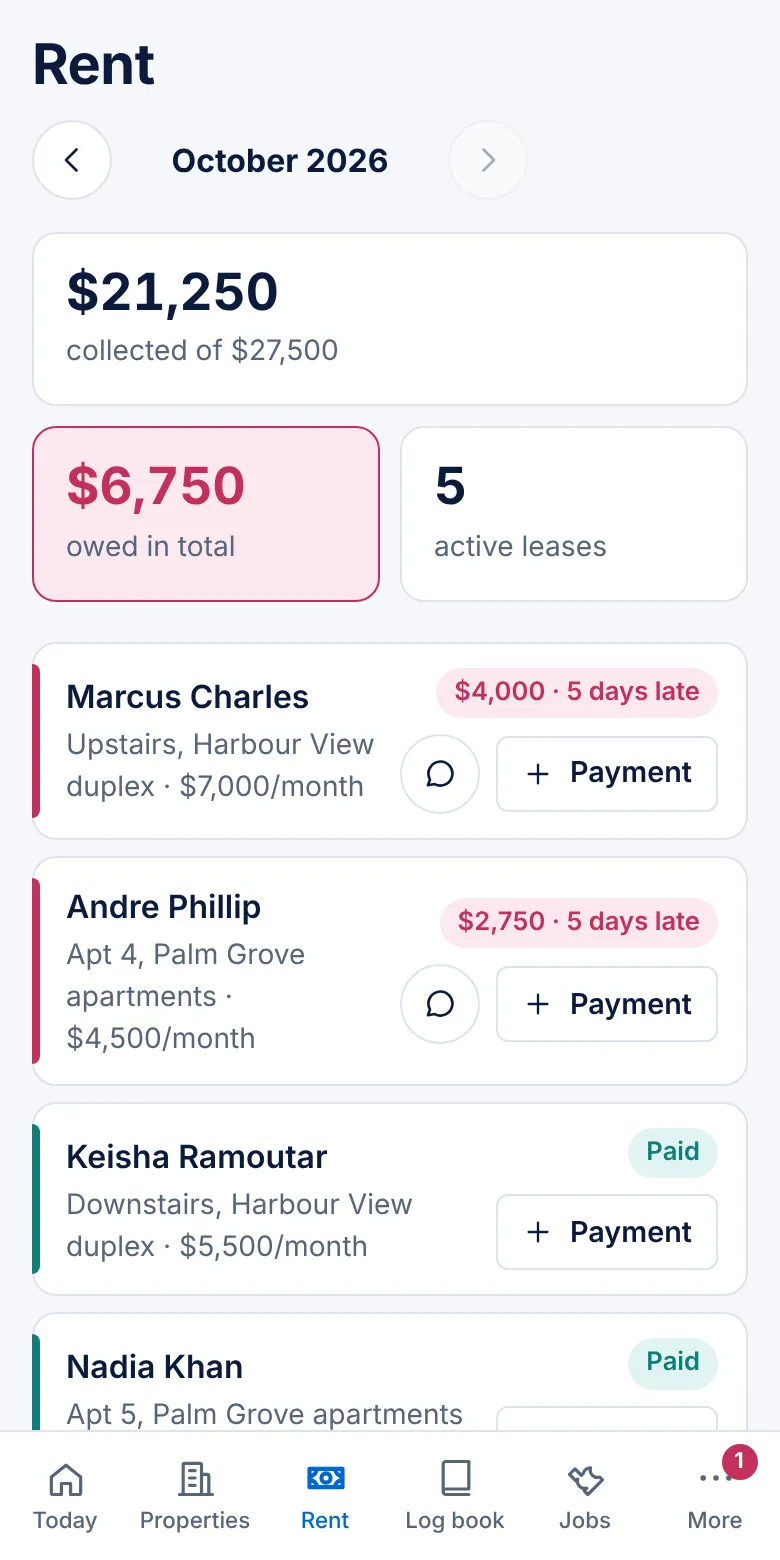
See who paid, who part-paid and who is late this month. Record cash, transfer, cheque or card in one tap.

Manage Rentals. Simplify Life.
Manage properties, track rent, organise tenants and repairs, send receipts on WhatsApp and produce landlord statements, all in one place.

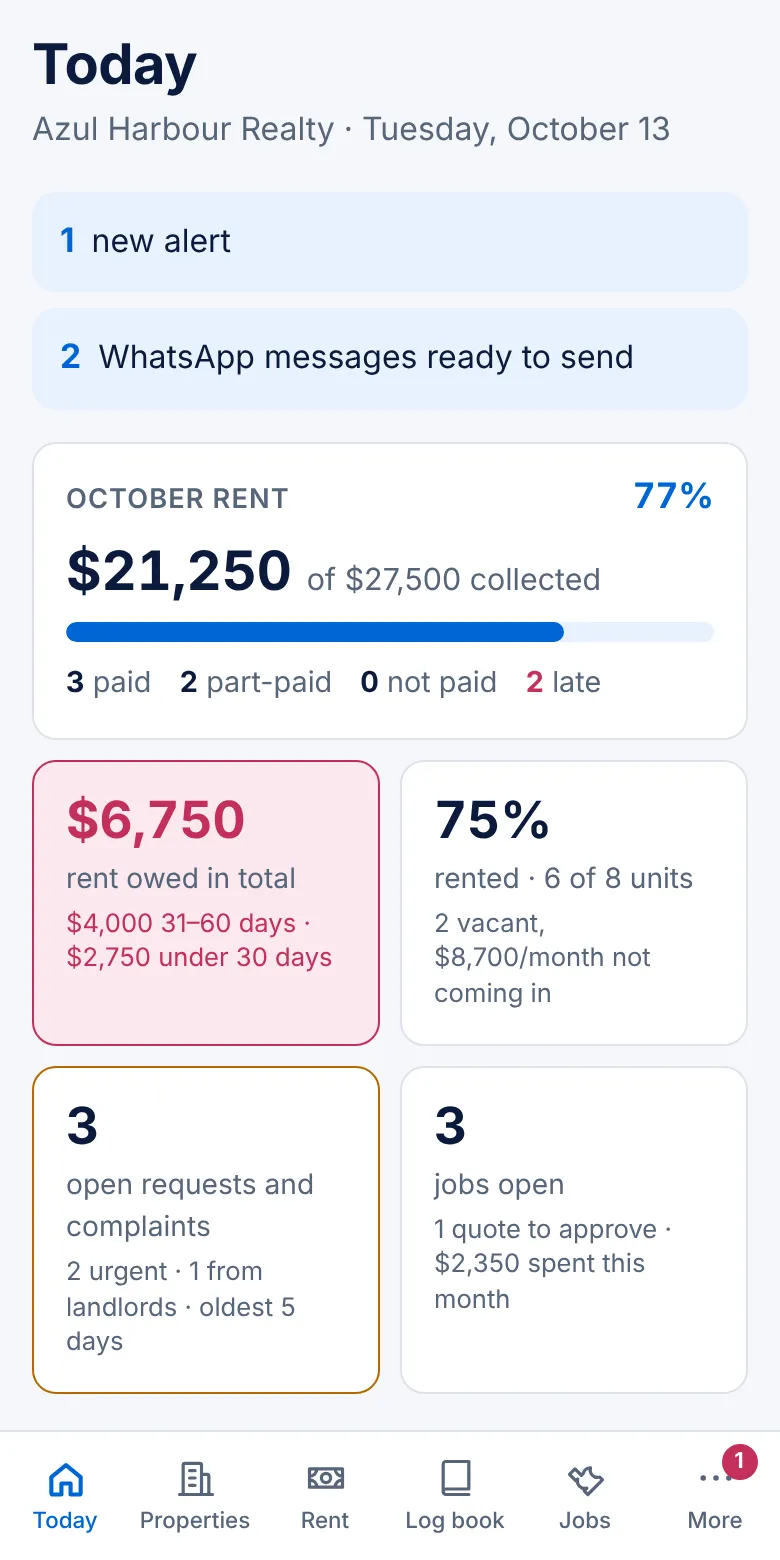
The five jobs that take up a property manager's week, in one app your whole team can use.
See who paid, who part-paid and who is late this month. Record cash, transfer, cheque or card in one tap.
Leases, deposits, IDs and contacts for every renter, plus a portal where they see their balance and lease.
Log requests, send jobs to vendors by WhatsApp, approve quotes and keep before-and-after photos.
Numbered receipts and rent reminders go out on WhatsApp and email, without you chasing anyone.
Monthly landlord statements, payouts and reports for any period, ready to print or send to your accountant.
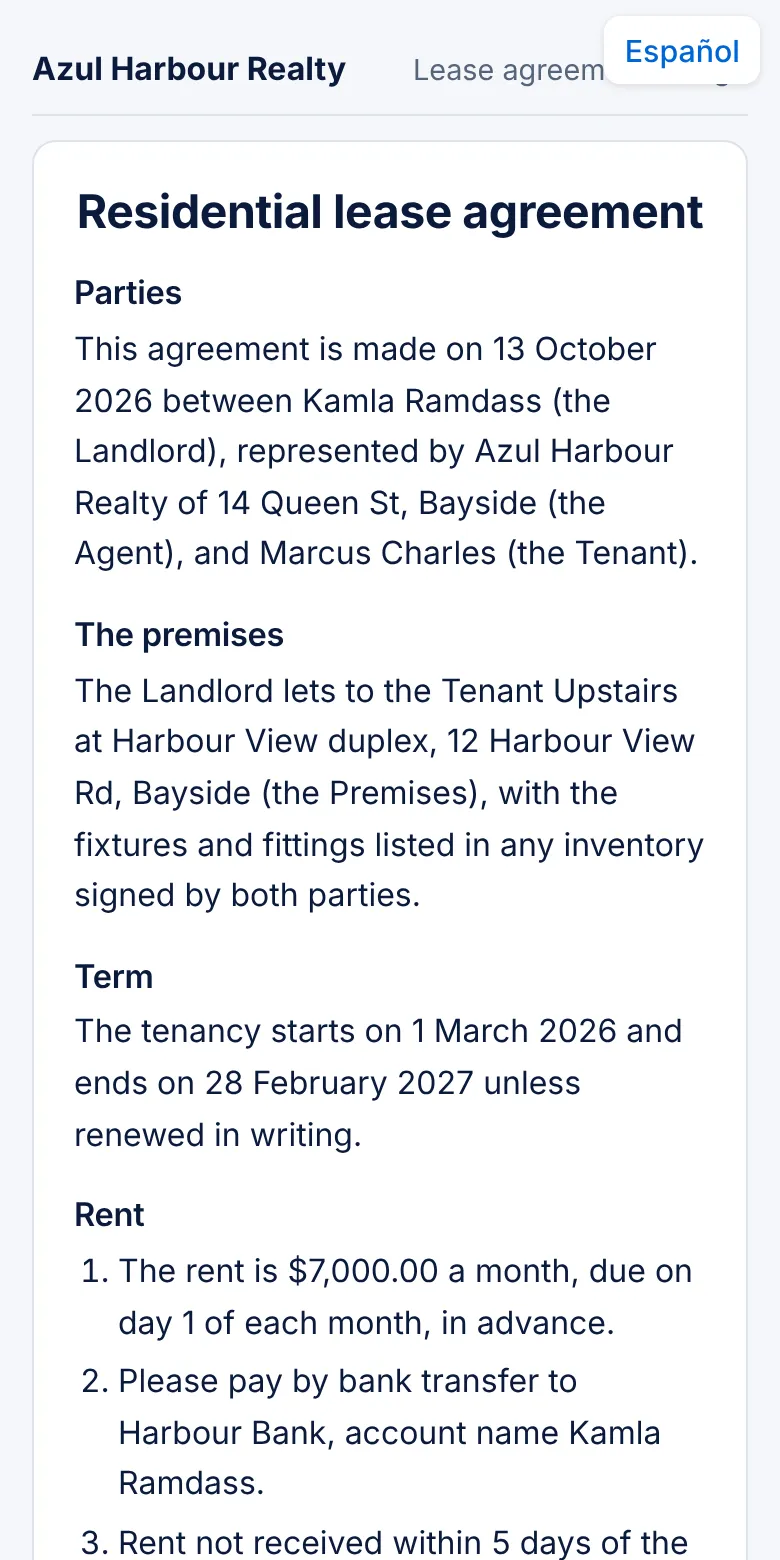
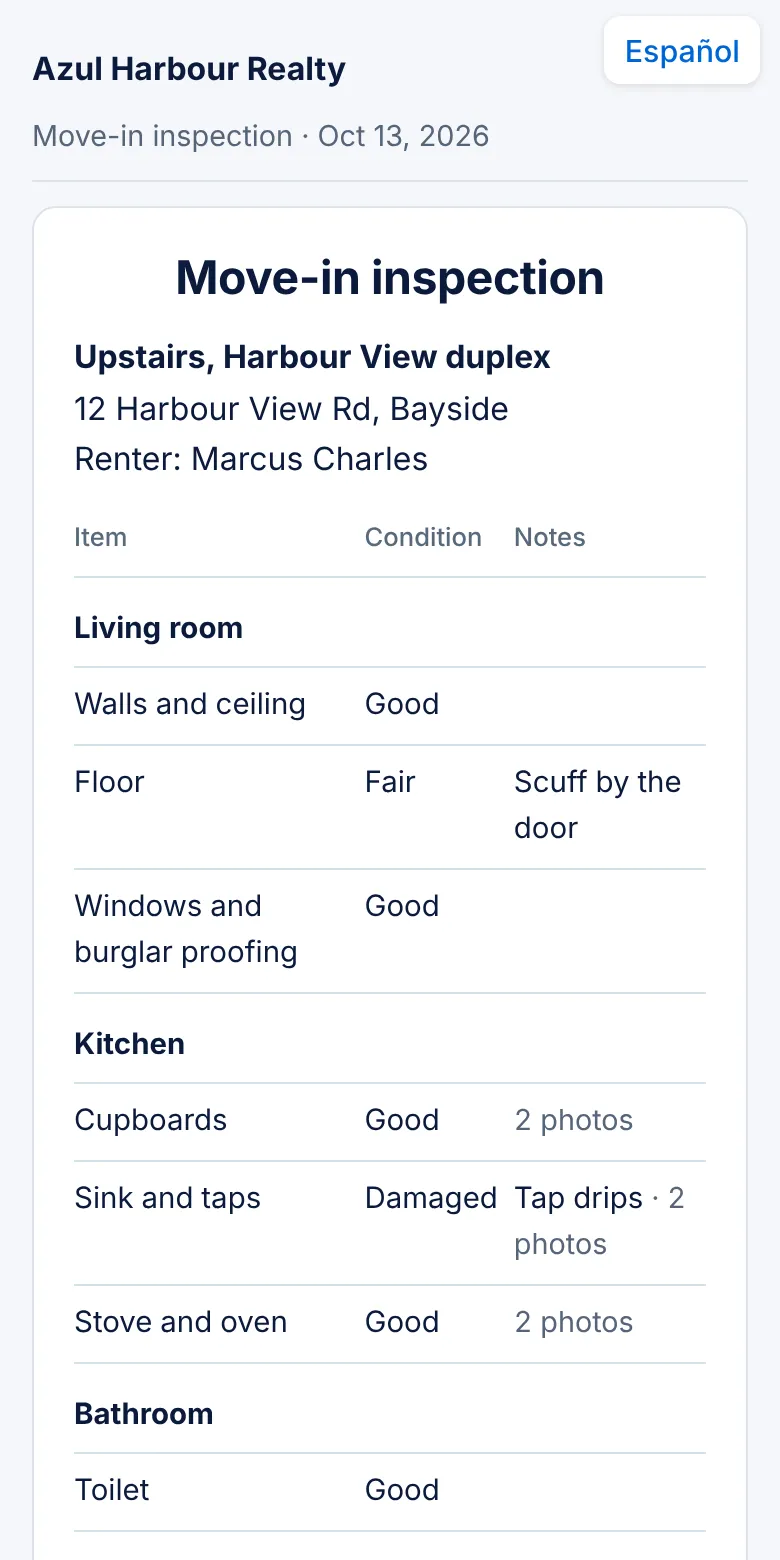
Real screens from the app, with sample data. Open the live demo.
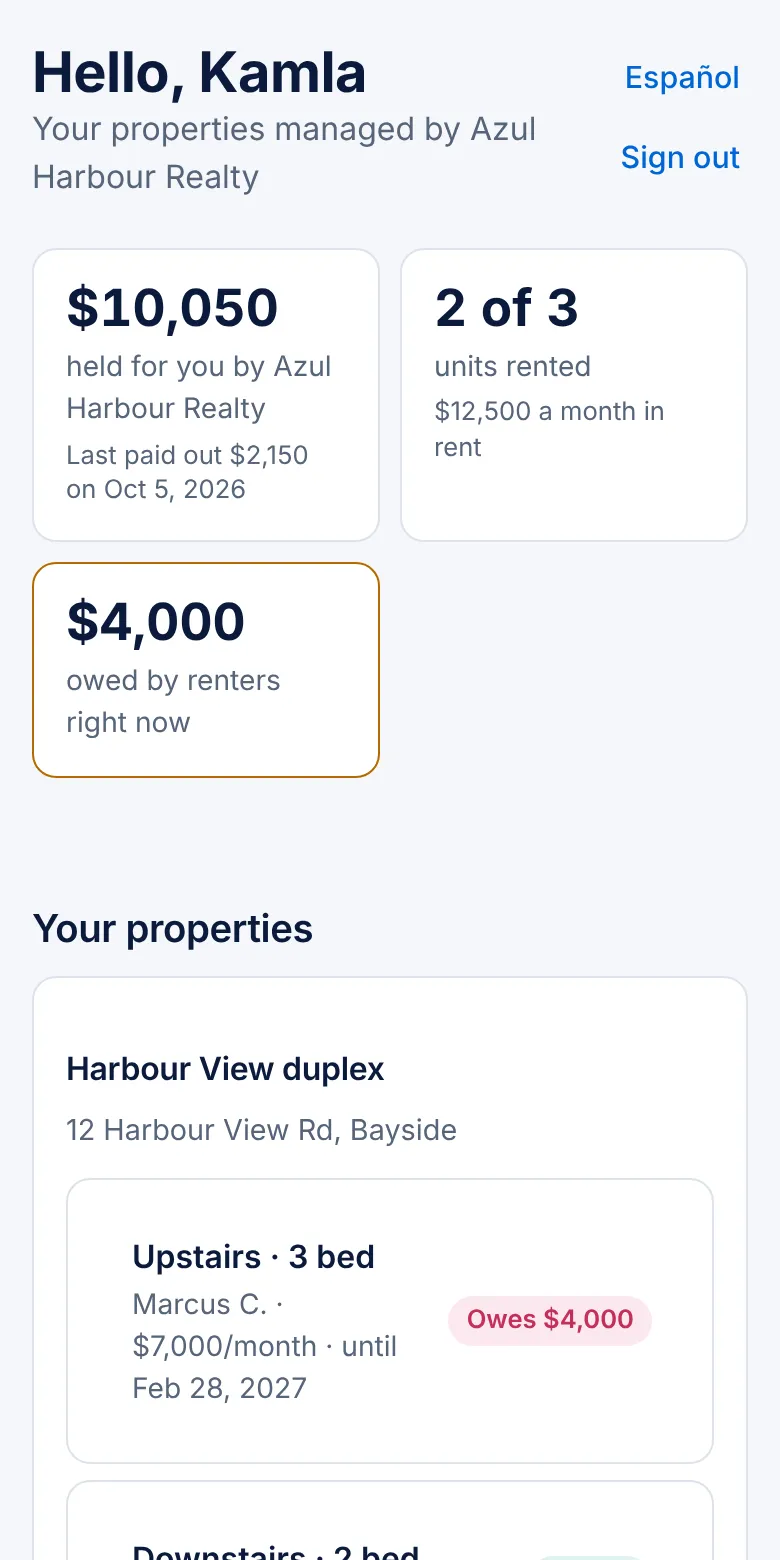
Sign up with your email, choose your country and currency, and invite your team.
Add landlords, properties and renters, or import them all from a spreadsheet.
Rent is charged each month by itself. Record payments and let receipts and reminders go out.
You are trusting us with your landlords' properties and your renters' details. Here is how we look after them.
Each agency's data is kept separate at the database level, all traffic is encrypted, files are stored privately and staff only see the properties you assign them.
Privacy policy →Rent goes straight to you or your landlords. Card payments land in your own Stripe account; AzulSpace never receives or holds rent and takes no cut.
Terms of service →Email azulspace@outlook.com and a person replies, in English or Spanish. We'll help you import your records and get set up.
Email us →Try the demo without signing up, then start free with no card. Download your reports as CSV any time and cancel whenever you like.
Try the demo →Start free for 30 days. Then choose the plan that fits how many units you manage. Prices in US dollars.
US$39/month
or US$390 a year (2 months free)
Up to 15 units
For an independent manager or a small agency.
US$99/month
or US$990 a year (2 months free)
Up to 60 units
For a growing agency with a team.
US$219/month
or US$2,190 a year (2 months free)
Up to 200 units
For larger portfolios.
Custom
More than 200 units, several branches, or your records moved in for you.
Every new agency gets every feature free for 30 days. No card needed to start.
If you haven't chosen a plan, your account becomes read-only. Nothing is deleted: you can still see everything and renters keep their portal. Choose a plan to switch everything back on.
Pay by card through Stripe, monthly or yearly, in US dollars. Receipts and invoices are in the app under More → Plan and billing.
Change plan, update your card or cancel from More → Plan and billing. If you cancel, your plan runs until the end of the period you've paid for. Not happy with your first payment? You get your money back within 30 days (see the Refund Policy).
Plans go by the number of units you manage. When you reach your plan's limit, the app asks you to move up before adding more.
AzulSpace is property management software for agencies, property managers and landlords in any country. They use it to track properties, renters, rent, landlord statements, local landlord tax, repairs and documents in one place, on phone or computer, in their own currency.
Yes. Open the live demo and you get your own copy of a sample agency, with properties near you on the map, renters, rent, repairs and statements. Change anything you like; it resets after an hour and nothing is ever really sent.
The whole app is in English, Spanish, German and Japanese, and each person picks their language from the language menu. Automatic messages, receipts, statements and the lease template are in English and Spanish. AzulSpace en español · auf Deutsch · 日本語.
Yes. Choose your country when you set up your agency and AzulSpace uses your currency, date style and phone number format. Trinidad and Tobago agencies also get the Landlord Business Surcharge worked out every quarter.
Yes. It adds up each landlord's gross rent for the quarter from the payments you record and applies the IRD rate: 2.5% when the quarter's rent is TT$20,000 or less, 3.5% of the whole amount when it is more. It shows the due date, records who paid (the owner, or the agency on the owner's behalf) and keeps the proof of payment. Read the Landlord Business Surcharge guide and calculator.
Yes. AzulSpace prepares the lease from your own template, filled in with the renter, property, rent and dates. You sign it, send the link, and the renter reads and signs it on their phone with their finger. The signed copy keeps both signatures and the time, and can be printed or saved as a PDF.
Yes, if you use Stripe. Connect your own Stripe account (or a landlord's) and renters get a Pay by card button. The money goes straight into that Stripe account; AzulSpace never processes, receives or holds rent and takes no cut. Card payments and receipts are recorded automatically.
Yes. Each lease says how that renter pays: cash to a named agent, bank transfer to the agency, the landlord or an agent's account, or cheque. Every payment records where the money went, and the renter gets a numbered receipt on WhatsApp.
Yes. Each month AzulSpace prepares a statement per landlord showing rent received, repairs, your fees and commissions, landlord tax paid for them and payouts, and emails the landlord a private link they can print or save as a PDF.
Every agency starts with a 30-day free trial with every feature and no card needed. Then: Starter, up to 15 units, US$39 a month; Agency, up to 60 units, US$99 a month; Pro, up to 200 units, US$219 a month. Paying yearly gives 2 months free, and larger agencies get a custom price. See plans.
Yes. Save your spreadsheet as CSV and import it under More → Import from a spreadsheet. AzulSpace matches your columns (property, unit, landlord, renter, rent, lease dates), shows a preview, skips anything already entered, and creates the landlords, properties, units, renters and leases in one go. A ready-made template is included.
Yes. Once AzulSpace is installed, it can send phone notifications for new tenant requests, payments, overdue rent and job updates, as well as email and WhatsApp reminders to renters and landlords. Repeating jobs such as yard maintenance or AC servicing are created automatically on schedule.
Yes. AzulSpace installs on iPhone, Android and computers straight from the website, with no app store needed, and opens full screen like any app. How to install it.
Each agency's data is kept separate at the database level, staff only see the properties assigned to them, files are stored privately, and all traffic is encrypted.
Email azulspace@outlook.com for help, a demo or Enterprise pricing for agencies with more than 200 units.

Set up your agency, add your first property and record this month's rent today.